
Starlink OS
A phone OS that says what works on satellite
- Satellite messaging on phones ends at “sent”. People can't tell what got through, or whether anyone is coming.
- A full phone OS where the link says what you can do right now, and messages and SOS show every step.
- Trust comes from proof the network gives, never from the phone vouching for itself. Still a hypothesis to test with real people.
- Concept, design and code
- Full phone OS · 53 screens
- Link status · SOS · Location · Messages
- 2026
Try it
Change the signal and watch the phone
Each signal changes what works: texts, calls, photos and SOS. Pick one, then open Messages or SOS on the phone to see it there too.
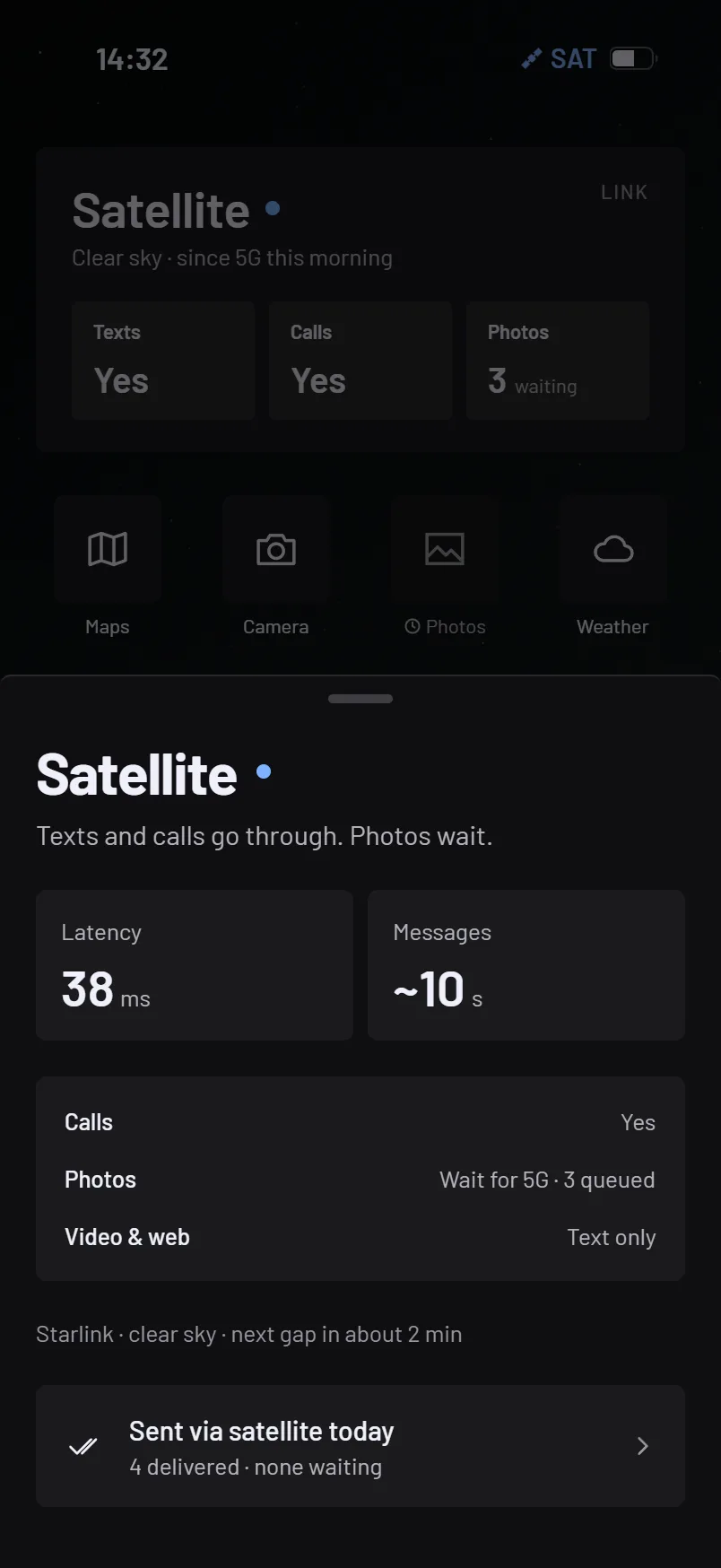
Satellite. Texts: Yes. Calls: Yes. Photos: 3 waiting.
The problem
The world · 2024–2026What people miss is knowing whether it got through
Three passes before drawing a screen: global data on coverage and outages, an audit of how satellite-to-phone works on phones today, and four synthetic interviews to stress the hypotheses. The same question kept coming up: did my message get through, and is anyone coming?
- 300MGSMA, State of Mobile Internet Connectivity, Sep 2025
- 48.7%FCC, DIRS status report, 1 Oct 2024
- 3,000+Garmin, inReach SOS year in review, Feb 2026
- 2.2BITU, Facts and Figures, Nov 2025
What the research changed
The first version was built around an assistant
Every synthetic participant pushed back, not on where the data went but on being listened to at all, and on a company vouching for its own privacy. So the assistant stays, demoted: push-to-talk only, never sends on its own, with a log you can check instead of a promise.
First thesis, dropped: Your carrier is also your AI.
Decision 1 · Messages
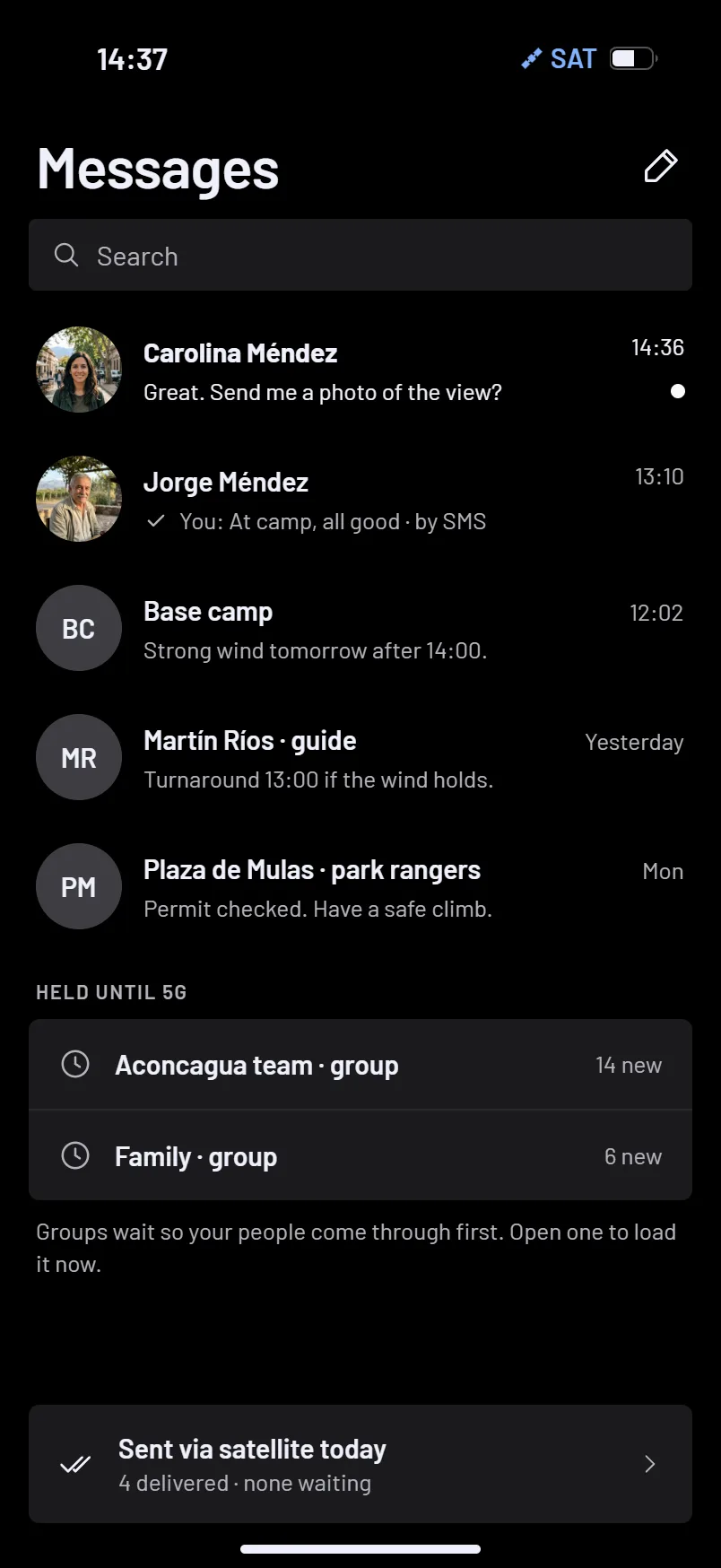
Every message shows where it is
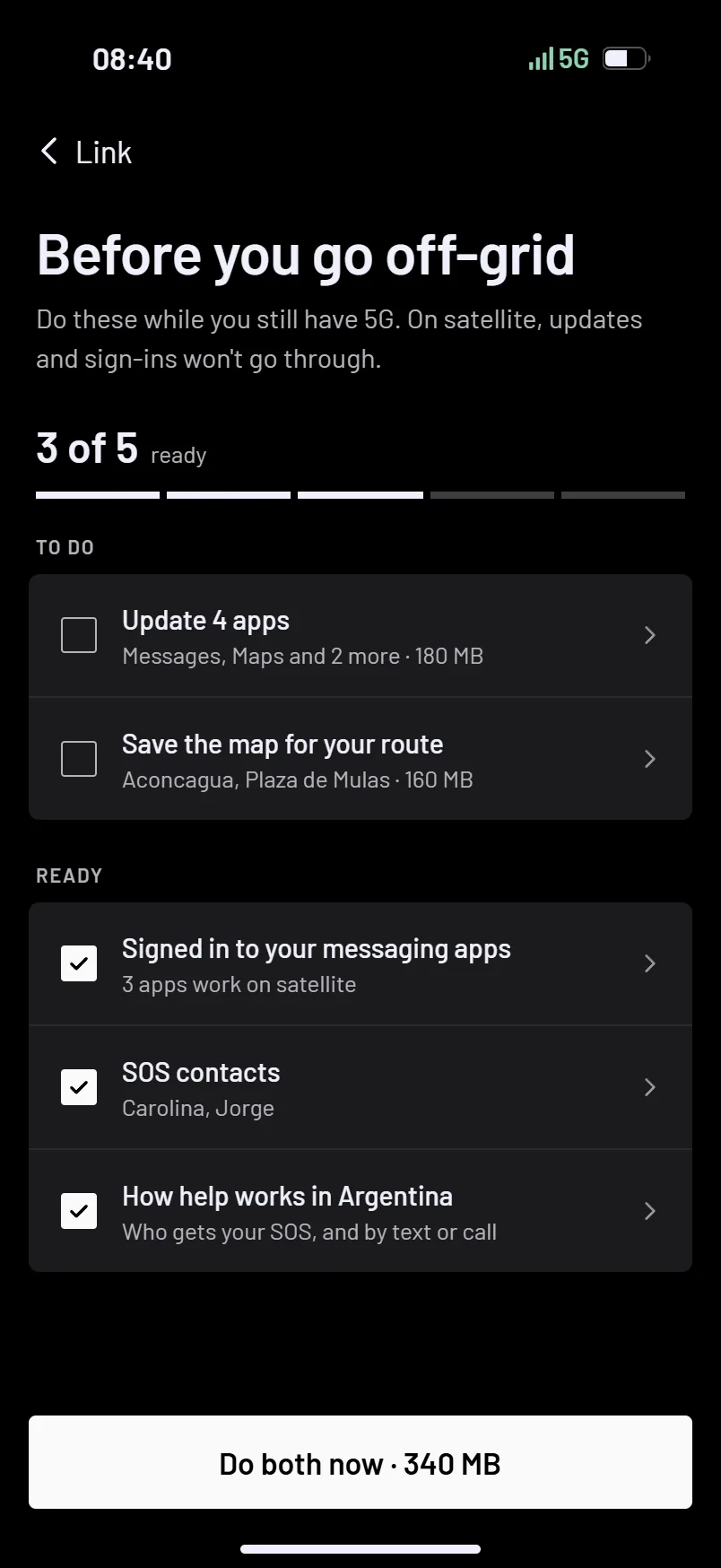
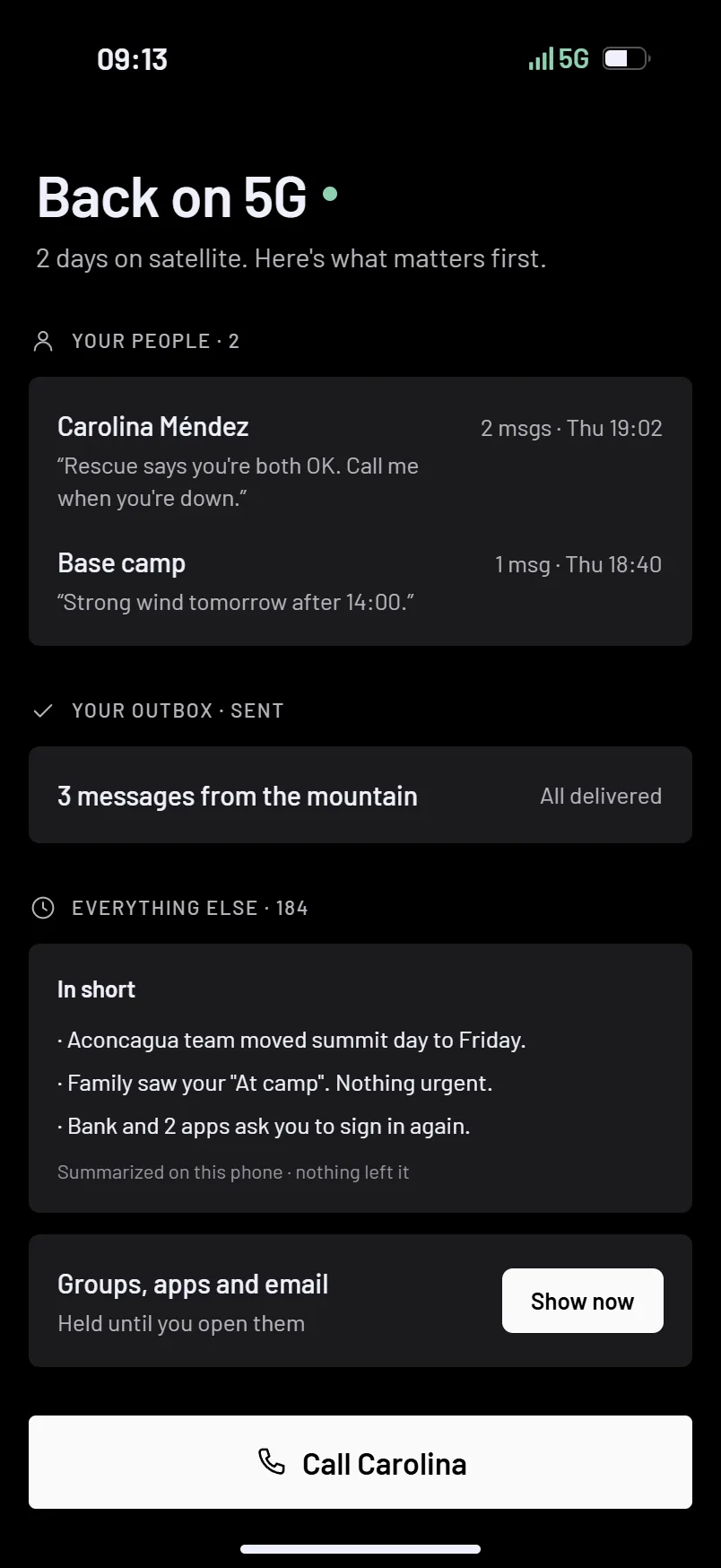
“It's the phone itself telling me” came up in every interview, so every message shows its state with times from the network. When 5G returns after two days offline, your people come first, then proof your messages went out, then the rest.
Decision 2 · Link status
The link says what you can do right now
Phones today show “SAT” and leave the rest to support pages. Here the home widget names what the link allows (texts yes, calls yes, 3 photos waiting), and a tap shows what's queued and what went out.
Decision 3 · Emergency SOS
SOS shows every step until help arrives
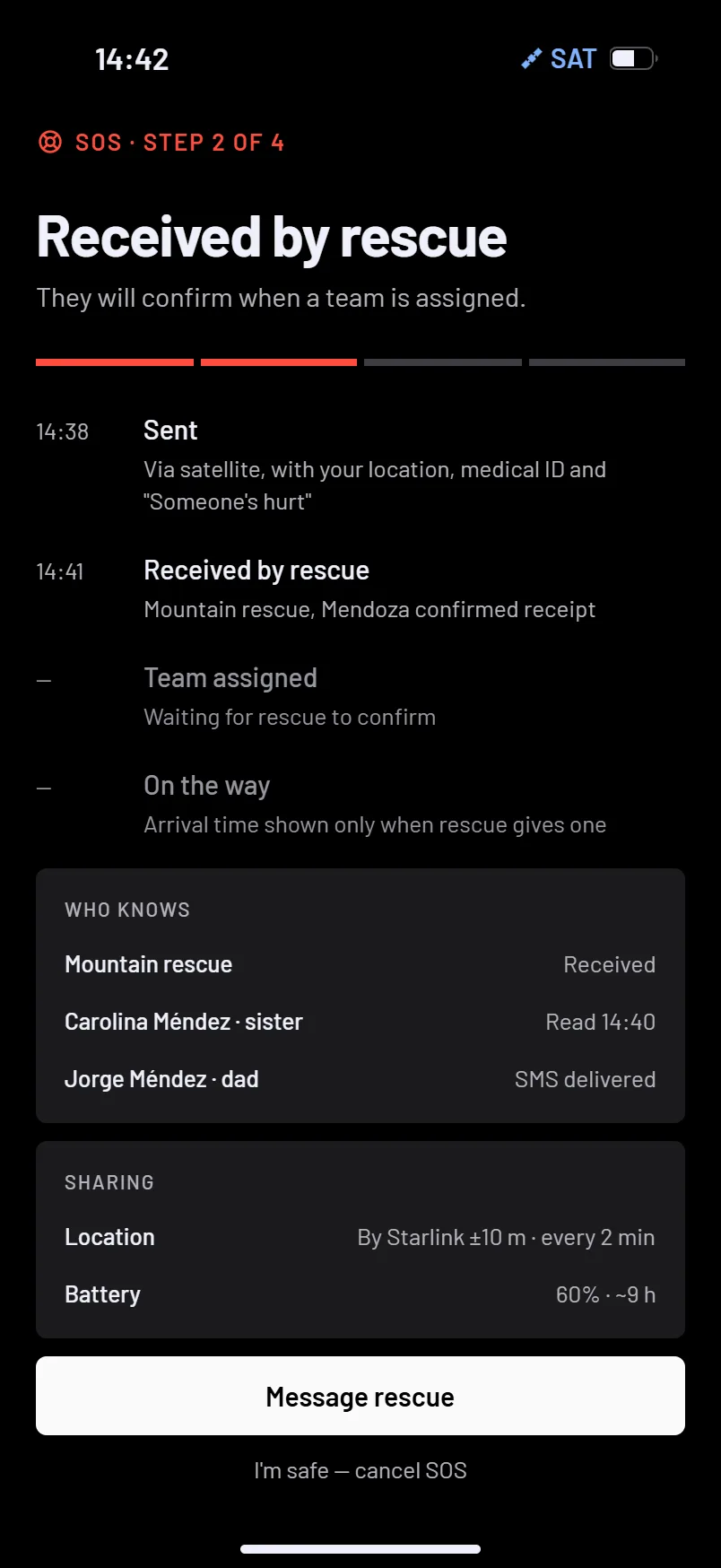
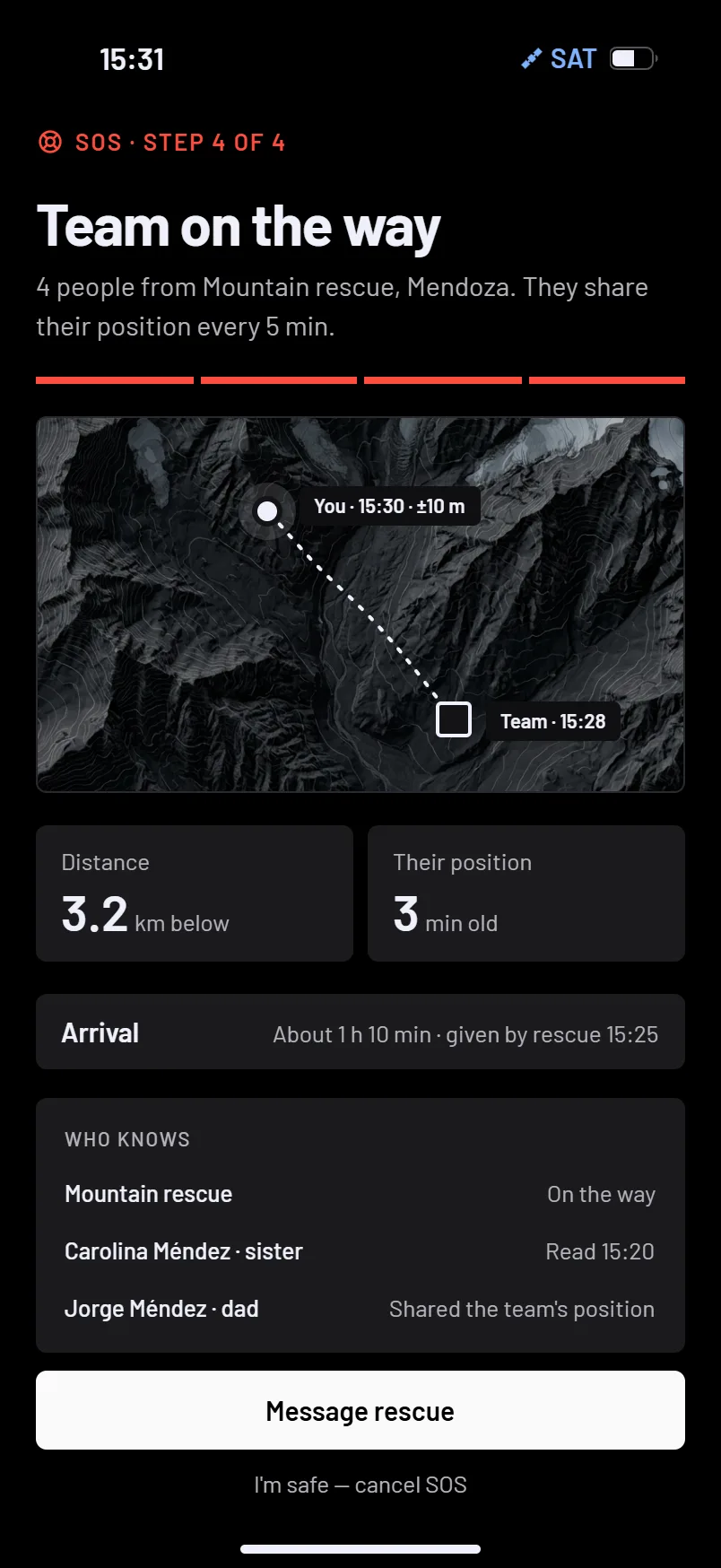
Satellite SOS today ends at “sent”. Here each step lands with its time, from sent at 14:38 to a team on the way at 14:52, with who already knows. Every way in except the side buttons asks you to slide first, so a stray tap never calls a helicopter.
Design system
Black is the instrument
Color only appears when the link changes (terrestrial, satellite, degraded, no sky) or when someone needs help.
- link-terrestrial
- link-satellite
- link-degraded
- link-nosky
- sos · reserved
- bg
- surface
- surface-raised
- border
- text-subtle
- text-muted
- text
bgSurfaces step up in light, never in huetext
- none · 0xs · 2sm · 4md · 6 · max
Positioning
A link that goes where you go
A Starlink dish brings broadband to a place. Direct to Cell brings a thinner link to a person. The phone is slower, but it's with you: in your pocket when the dish is in the truck, the power is out, or you're the one who fell.
| Compared on | Starlink dish | Starlink OS phone |
|---|---|---|
| Where it is | Fixed to a roof, a car or a camp. | On you, all the time. |
| Best at | Living and working off the grid. | Staying reachable, saying "I'm OK", calling for help. |
| Design problem | Getting online. | Knowing what you can do right now. |
Reflection
What I'd test before anyone trusts it
This concept rests on desk research and four synthetic interviews. They shaped hypotheses, not decisions I'd defend without real people in real places. These are the first four I'd put in front of them.
- People understand and trust "±10 m · by Starlink"
- The AI draft speeds up an SOS instead of getting in the way
- Delivery proof lowers resends and worry
- "Your people first" is the right order when the link returns
The full Starlink OS file
One PDF with everything behind this case study, for designers and product teams who want to see the whole system up close.
- All 53 screens across the 4 flows: Link status, Messages, SOS and Location
- The edge-case screens for when things go wrong
- The design system: tokens and components
- The research synthesis: interviews, data and sources